
The app works, so why maintain it? The cost of neglected maintenance
What breaks in an app after 6, 12 and 24 months without care, how maintenance differs from development and what monthly care looks like.
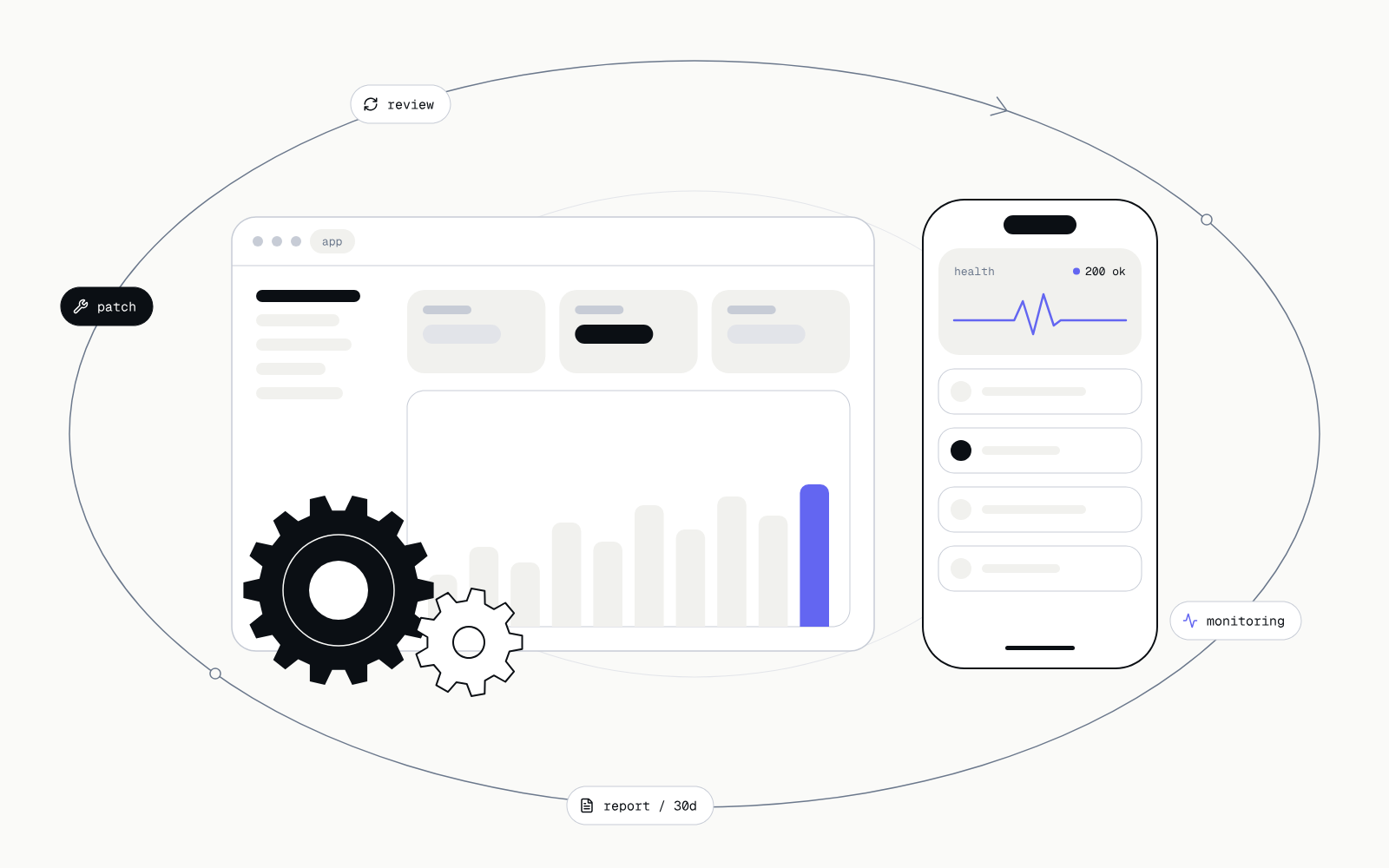
After launch an app works, so a budget for looking after it is easy to write off. Yet the world around it keeps changing: libraries, phone operating systems, third-party services and threats. Code nobody touches grows older every month.
What breaks when nobody looks after the app
The first symptoms rarely look like an outage. Usually it is a list of small backlogs that grow in the background until one of them stops the product. The pattern below is typical, not guaranteed: the pace depends on the technology and the number of integrations.
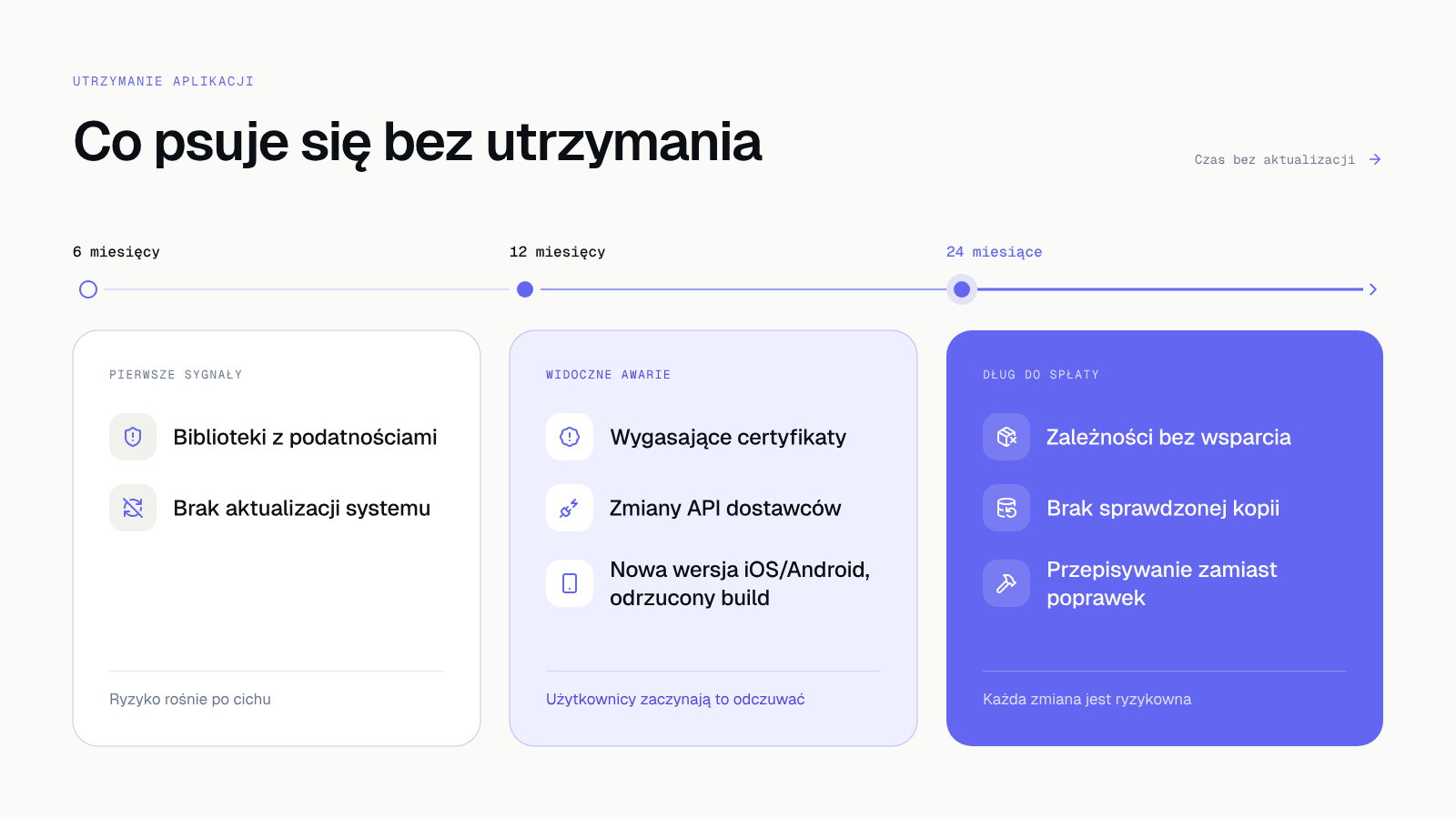 Backlogs build up: the longer without a review, the more expensive the fix.
| After | What happens | Effect on the business |
|---|---|---|
| 6 months | Libraries the app is built from receive security patches that your version lacks. Server systems wait for updates. | Known vulnerabilities stay open and are publicly described. |
| 12 months | Certificates and keys reach their expiry date. Vendors change or retire old API versions. New iOS and Android versions ship. | A sudden outage after a certificate expires, a broken integration, a store rejecting a new build. |
| 24 months | Some dependencies lose support. Nobody has checked backups, and the people who knew the system have left. | Every change is risky and a fix starts to look like a rewrite. |
Libraries with vulnerabilities
A modern app is largely made of other people's libraries. When one of them has a security bug, its authors publish a patch and the description of the flaw lands in public databases. Whoever does not install the patch is left with a hole anyone can look up.
Expiring certificates and domains
Certificates that encrypt the connection, keys and domains have an expiry date. When nobody watches it, the site or app suddenly stops working, or the browser warns customers that the connection is unsafe.
New iOS and Android versions
Apple and Google release new system versions every year and raise their requirements for store apps. An old build may stop working on new phones or be rejected at the next release, and then a fix waits for the app to be rebuilt.
Vendor API changes
Payments, couriers, email, accounting and AI tools change their interfaces and retire old versions. An integration that worked a year ago may quietly stop sending data, and the first person to notice is sometimes a customer.
No tested backup
A backup nobody has restored is only an assumption. Over time the database, the access to the backup store and the passwords change, and a restore attempt after a failure is the worst moment to find that something does not work.
Each of these can be caught by a review before it turns into an incident. That is why maintenance runs on a steady rhythm of reviews.
Maintenance versus development
These two services often end up in one bucket, which causes trouble: one protects what you have, the other adds something new. If you pay only for development, nobody has updates in their scope of work. If you pay only for maintenance, the product does not grow.
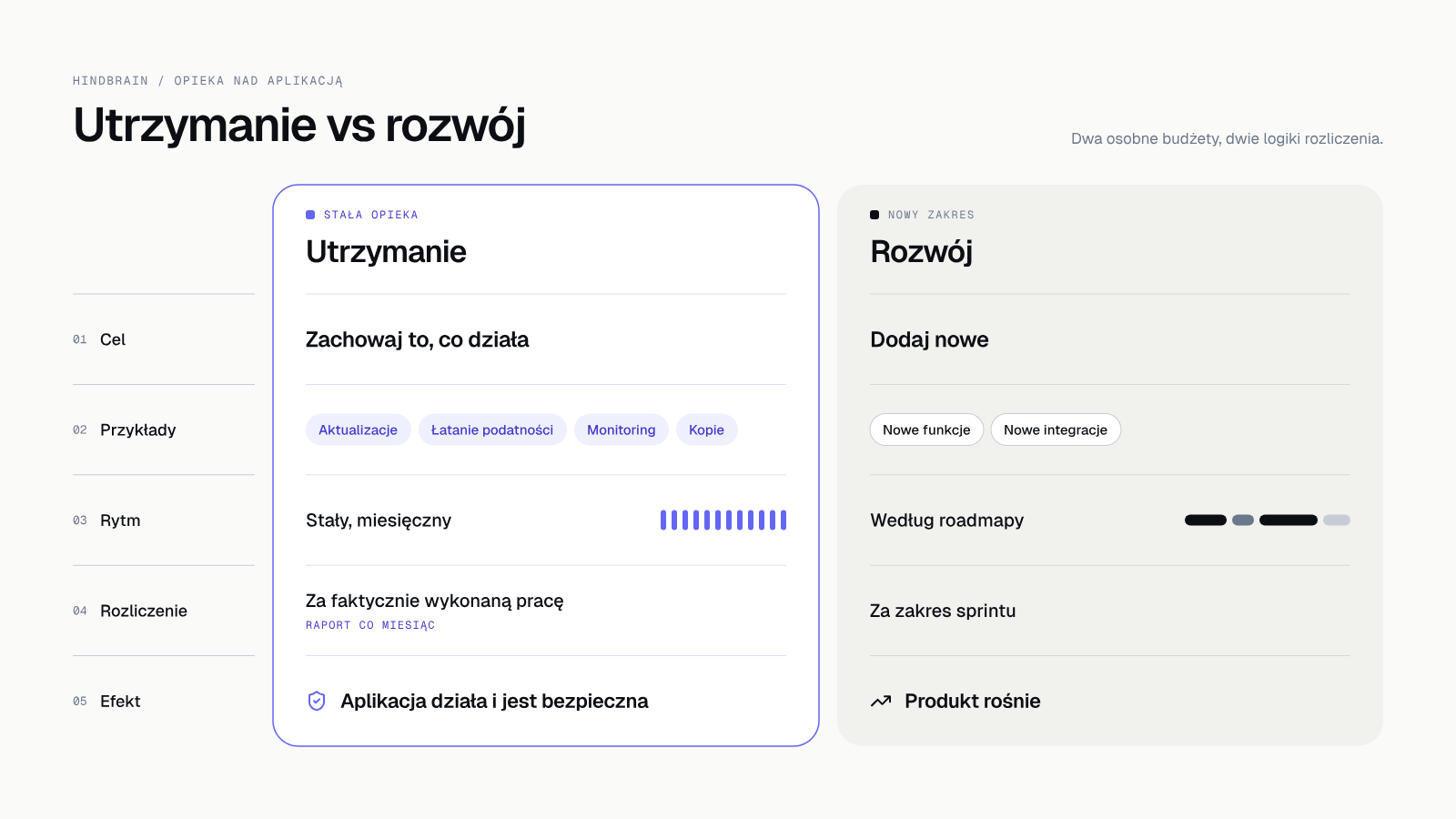 Maintenance keeps what works. Development adds what does not exist yet.
Maintenance has a steady rhythm: monitoring, updates, patching vulnerabilities, backups and permission reviews. Development follows a roadmap, in sprints with a demo. It pays to bill them separately so you can see where the money goes.
A simple test: if a change adds no new capability for the user, and without it the app would become slower, less secure or stop working, it is maintenance. Updating a library, replacing an expiring certificate and adapting to a vendor's new API all belong here. A new report, a new account type and a new integration are development.
What neglect costs
Amounts depend on the app, so we will not give them in general. We can describe what the cost of neglected maintenance is made of.
- An outage at the wrong moment: an expired certificate or a retired API stops sales, bookings or your team's work, usually on the busiest day.
- A security incident: an open, known vulnerability is an easier path to leaking customer data, and you are accountable for that data.
- Accumulated debt: after two years, changing one library drags others along, so a single fix becomes a project.
- Blocked stores: a rejected build means you cannot ship the fix your users need.
The most expensive part is usually delay. An update made every month takes a moment and touches a small change. The same update after two years requires checking everything that depends on it, and every missing test and undocumented decision lengthens the work. We give no savings ratio here because we have no data from your app, but the direction is predictable.
Compare that with monthly care, which spreads the work into small, predictable pieces. The monthly cost depends on the size of the app and the number of integrations: [NEED: price range or billing model for care, for example hours in a package or work beyond the package, for owner approval].
What monthly care looks like at Hindbrain
Maintenance is the sixth stage of our process, the one after launch. The scope is written down and you see the result in a report.
- Monitoring: we watch availability, errors and alerts so we know about a problem before your users do.
- Updates and vulnerability patching: a dependency scan every week in CI, library and system updates, security fixes.
- A permission review every quarter and a retest after every major feature. We run a full security audit once a year.
- A report every month: what was done, what was found, what is planned.
- A roadmap: new features by priorities that you set.
You pay for the work we actually did and you change the scope month by month. Code, designs and accounts stay yours, so you can end the cooperation at any time. Security is part of the process from the audit before launch to maintenance, as we describe in Application security audit [NEED: potwierdzić slug EN artykułu C1].
How to know someone really maintains your app
Ask for three proofs. The first is last month's report with a list of installed updates. The second is the date and result of the latest dependency scan. The third is a record of the latest backup restore test. If a contractor has no such documents, care exists in the contract but not in practice.
It is also worth checking who receives alerts when the app stops working. If the answer is "customers", monitoring is not working.
How to take over a neglected app
If the app already has a backlog, do not start with new features. First collect access, establish the technical state and write down the risks, and only then make small, safe changes. That way the first weeks go to understanding the system. We described this plan in Taking over an existing app: how to start without guessing.
For a neglected app the order is usually: access and backups, updates with the most serious vulnerabilities, certificates and integrations, and last, paying down the debt.
What to do today
Write five things on a sheet of paper: when libraries were last updated, when certificates and domains expire, who has access to the store accounts, when a backup was last restored, and who will tell you about a problem before customers notice. No answer to two of the five is a good reason to book a review.
You do not need to know the technology. Ask these questions of your current contractor or team and request answers in writing. If nobody can answer them, you know the app has no caretaker, and that matters more than any quote.
Takeover and monthly care: a quote in 5 days
Describe your app and we will prepare a quote for takeover and monthly care in 5 days [NEED: potwierdzić 5 dni]. Takeover and monthly care: a quote in 5 days