
Taking over an existing app: how to start without guessing
A handover plan for an existing app: access, technical baseline and risks first, including a security audit, then small, safe changes.
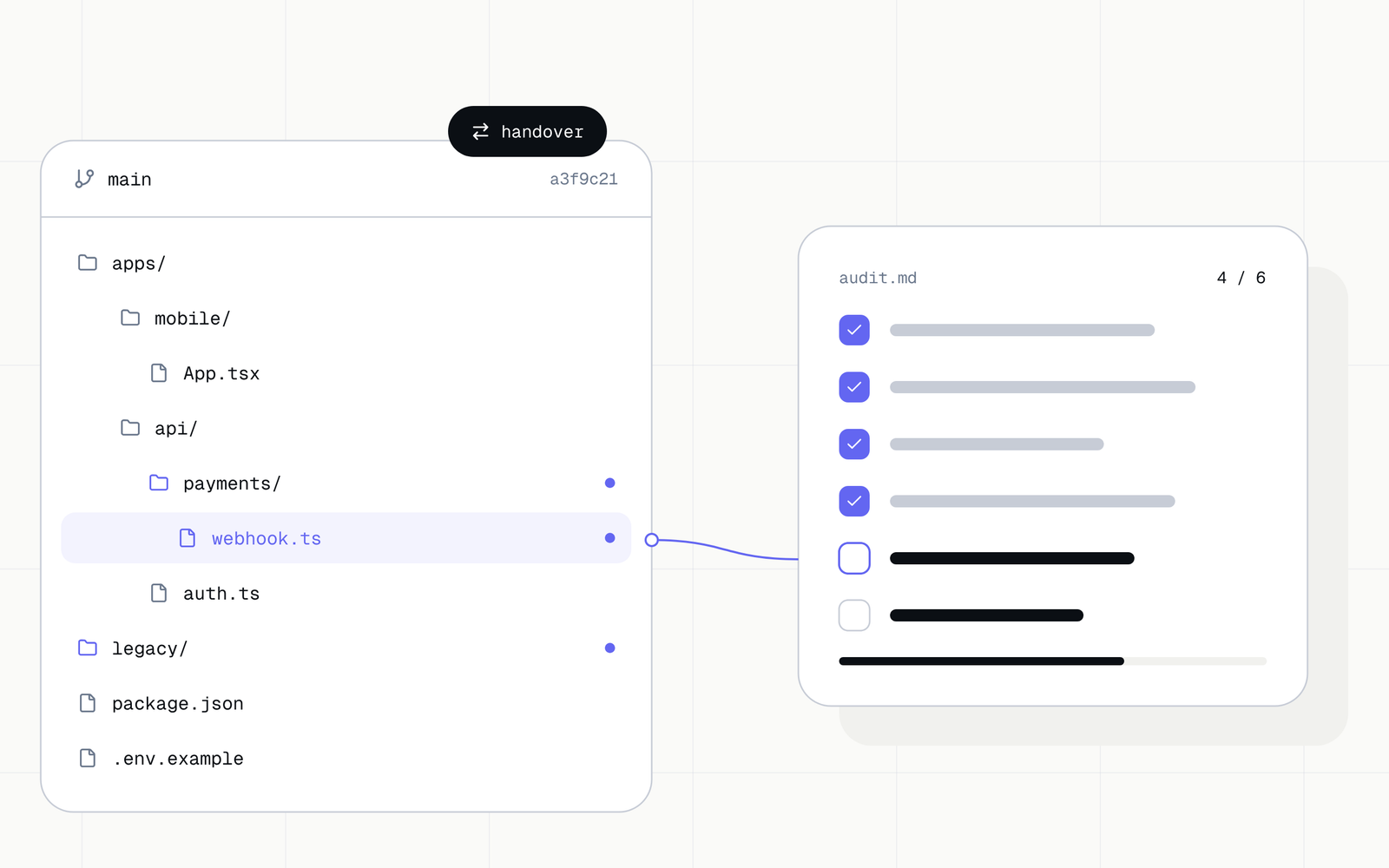
A takeover often starts with an urgent task list: fix a bug, add a feature, prepare a release. Before the team changes a single line of code, it has to settle three things: what works, who controls access, and how to tell that a change is safe. This text describes the order in which we do it.
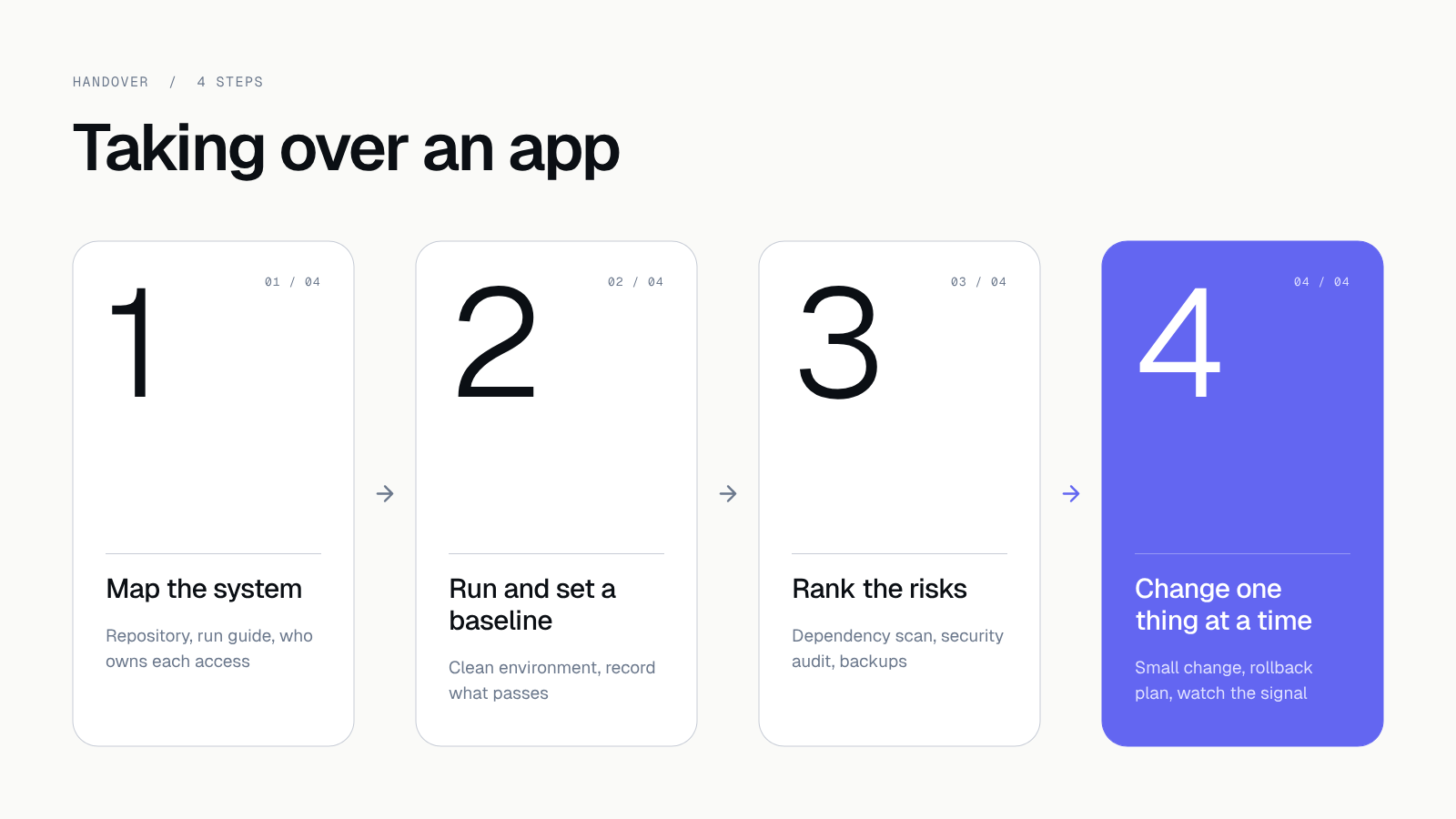 Four steps, from the system map to the first change in code.
1. Map the system and take over access
Ask for the repository, the run instructions, the deployment history, the environments, the integration settings and the list of people responsible. Also check where bug reports go and who can publish a release. Hand over access through an approved channel. Do not paste secrets into documentation or a chat tool.
The result should be a short map: components, external dependencies, environments, the way of deploying, and the owner of every access. A missing manual is information about risk. Ask questions instead of guessing.
A change of contractor adds one more matter. The previous team knows the passwords and keys. So after you take over access:
- change the passwords and API keys for the repository, the cloud, the domain and the app stores,
- remove accounts of people who no longer work on the project,
- turn on two-factor authentication wherever it is available,
- check that the repository, the domain and the store accounts are registered to your company.
Code, designs and accounts should belong to you from day one. If they do not, settle that first, before any technical fixes.
2. Run the project and record a baseline
Run the app in a clean environment following the documentation. Record the required tools and versions, the configuration steps without secret values, the start-up time, and which checks pass. If the project does not build right away, find out where the problem comes from: missing access, outdated dependencies, configuration or code.
Check the key flows by hand or in existing tests. Before you fix an inherited problem, keep its symptoms and the way to reproduce it. That lets you separate inherited problems from new ones later.
Work in a test environment. Production customer data should not end up on laptops or in tools you do not control.
3. Rank the risks and set the order
Check dependencies, the release process, error handling, backups and the ability to restore them, the availability of monitoring, and where data is processed. A declared backup is not proof. A successful restore from it is.
A security audit after the takeover
An app inherited from a previous contractor is a set of decisions you do not know. So after you take over access, run a security audit before you add features. We start with a dependency scan and a scan of the repository history: we look for libraries with known vulnerabilities and for passwords and keys saved in the code. Then we check user permissions, server configuration and what shows in the logs.
We describe the full course of such an audit in Application security audit: 12 things we check before launch. The result goes into the same risk register as the rest of the findings.
Split the findings into three groups
Put every finding into one group: release blocker, risk to contain, or improvement. For each, add the impact, the evidence, the owner and the next step. Handle data loss, uncontrolled access and a missing repeatable release first. The order still depends on the product.
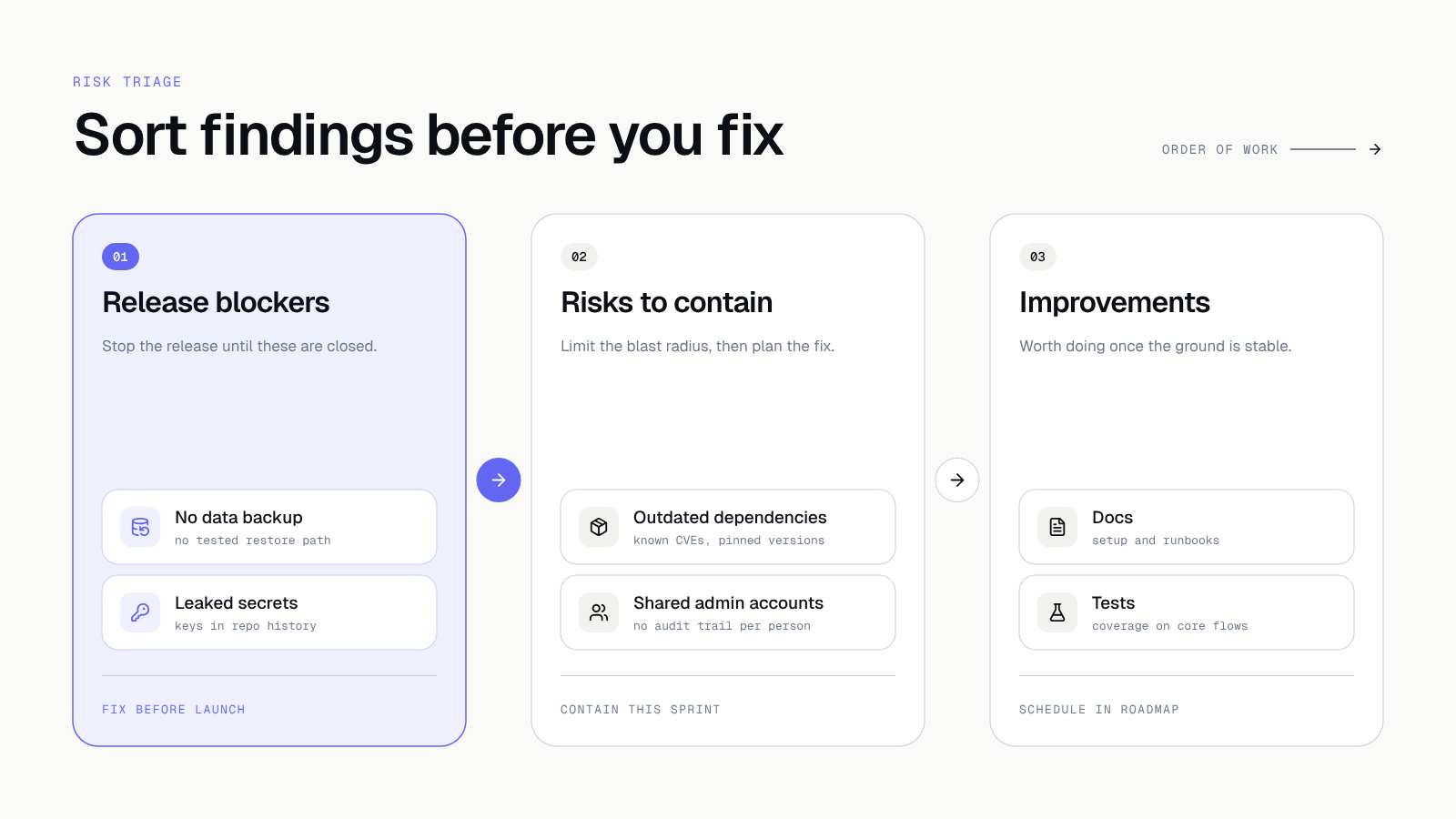 Blockers first, then risks, improvements last.
4. Change one thing at a time
Pick a small change whose effect you can verify. Keep the existing way of validation, add the missing check for the new behaviour and prepare a rollback plan. After release, watch the right signal, such as the error count or response time, in addition to the success code of the release process.
Work in short cycles. With us these are two-week sprints with a demo at the end and a staging environment that is always available. You see what changed, and you can stop the work after every stage.
Common traps in a takeover
Most troubles repeat from project to project. It helps to know them in advance.
- Accounts tied to a person, not to the company. An app store, a domain or a cloud account opened on a former developer's private address. Recovering access can then take a long time.
- No test environment. Changes are checked in production, so every fix is a risk for users.
- Dependencies with no updates. Libraries nobody has touched for years usually carry known vulnerabilities and block system upgrades.
- Knowledge only in someone's head. Nobody wrote down how deployment works, what the nightly jobs do and where the numbers in reports come from.
- A rewrite from scratch as the first move. It is tempting because old code can be unreadable. But you first need to know what the system actually does, or you will recreate the same bugs in new code.
None of these traps needs expensive tools. It is enough to write down the state of things and decide with the data in hand.
How a takeover works at Hindbrain
A takeover fits our standard process. It starts with a free call of about an hour, where we settle what you have and what you want to achieve. Then, in onboarding, which takes 1 to 2 weeks, we build the system map, the baseline and the risk audit. The result is a scope, a schedule and a fixed quote for further work.
After that we work in sprints, and before every major release we run a security audit. After launch we move to care: monitoring, updates, vulnerability patching and a monthly report. We describe maintenance costs in The app works, so why maintain it. After every stage you decide whether we continue, and the code and accounts stay yours.
Checklist before the first release
- Access and its owners are known, and passwords and keys left by the previous contractor have been changed.
- There are no secrets in the repository or in its history.
- A dependency scan has been done, and critical vulnerabilities have a fix plan.
- The app can be started from the documented configuration.
- A baseline exists for tests and critical flows.
- The publish and rollback process is understood.
- A backup can be restored in a verified environment.
- Open risks have an impact, an owner and an acceptance decision.
What to do today
Make one list: every place the app has access to (repository, cloud, domain, app stores, transactional mail, payments) and next to it the name of the person who can sign in there. If any of them belongs to the previous contractor, start with that one.
How we can help
If you are changing contractor or you inherited an app, we begin with a starting audit: a system map, a baseline and a prioritised risk list. You get it as a document and decide whether we continue. Looking for a new contractor? See how to choose a software house. Tell us about your app.
Takeaway: A safe takeover starts with knowledge of the system and evidence. A quick rebuild can wait. First restore the state and take over access, then change the app in small steps.
Further reading: See how diagnostic information can complete a problem report in the project Hindbrain Reflex.